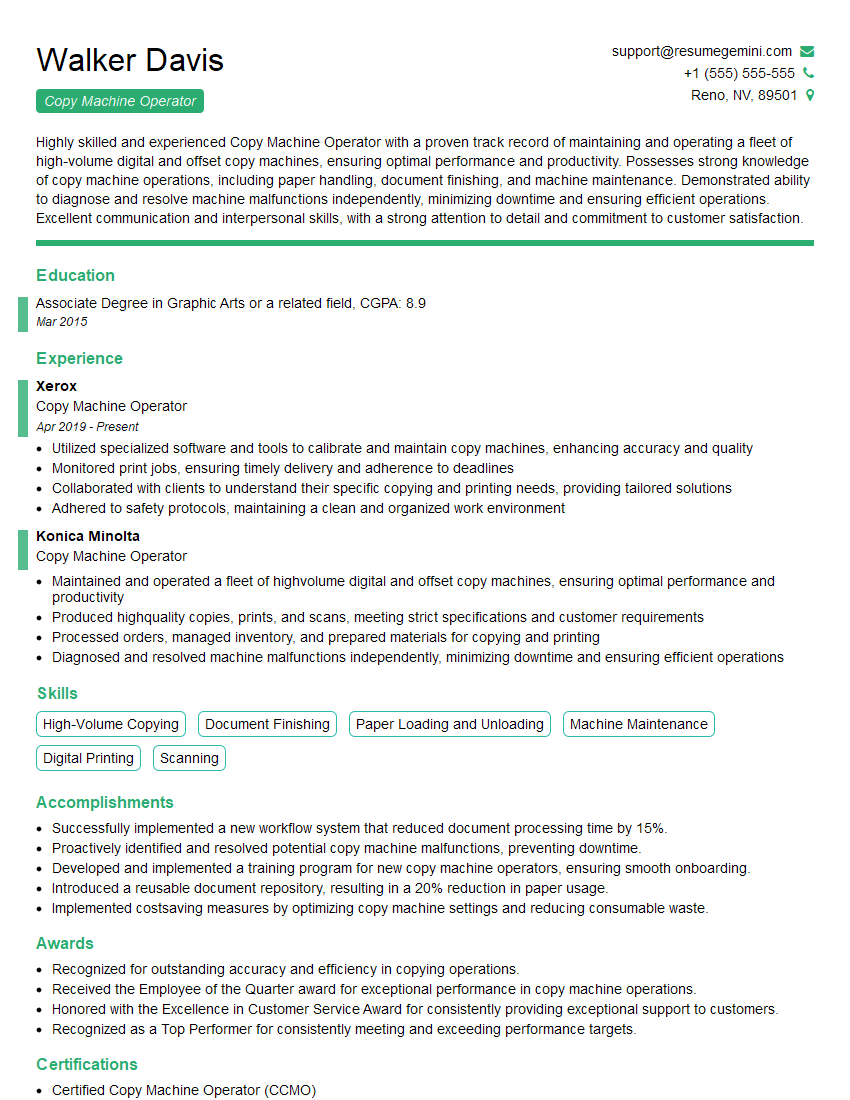
Are you gearing up for a career in Copy Machine Operator? Feeling nervous about the interview questions that might come your way? Don’t worry, you’re in the right place. In this blog post, we’ll dive deep into the most common interview questions for Copy Machine Operator and provide you with expert-backed answers. We’ll also explore the key responsibilities of this role so you can tailor your responses to showcase your perfect fit.
Acing the interview is crucial, but landing one requires a compelling resume that gets you noticed. Crafting a professional document that highlights your skills and experience is the first step toward interview success. ResumeGemini can help you build a standout resume that gets you called in for that dream job.






Essential Interview Questions For Copy Machine Operator
1. What are the different types of copy machines and their key features?
There are various types of copy machines available, each with its own set of features to meet specific needs:
- Analog Copy Machines: These machines use analog technology to create copies and are generally less expensive and smaller in size compared to digital copy machines.
- Digital Copy Machines: These machines employ digital technology to produce high-quality copies and offer a wider range of features, such as scanning, printing, and faxing.
- Multifunction Copy Machines: These advanced machines combine the functionality of a copier, printer, scanner, and sometimes even a fax machine into a single unit, providing versatility and space efficiency.
- Wide-Format Copy Machines: Designed for large-scale copying jobs, these machines can handle oversized originals and produce copies in various sizes, including posters, blueprints, and banners.
- High-Speed Copy Machines: These machines are optimized for high-volume copying and can produce a large number of copies quickly and efficiently.
2. Describe the process of making a copy using a copy machine.
Placing the Original
- Place the original document face up on the document glass or in the automatic document feeder (ADF).
- Ensure the original is positioned correctly and aligned with the machine’s guides.
Selecting Copy Settings
- Choose the desired copy settings, such as copy size, number of copies, paper type, and print quality.
- Adjust the settings to optimize the copy output for the specific document.
Starting the Copy Process
- Press the “Start” or “Copy” button to initiate the copying process.
- The machine will scan the original, process the data, and produce the desired number of copies.
3. How do you troubleshoot common copy machine problems, such as paper jams, toner issues, and image quality issues?
Troubleshooting Common Copy Machine Problems:
- Paper Jams: Check for any obstructions in the paper path and gently remove any jammed paper. Ensure the paper is loaded correctly and not wrinkled.
- Toner Issues: Replace the empty toner cartridge with a new one. Clean the toner sensor and fuser unit to remove any debris or toner buildup.
- Image Quality Issues: Adjust the print settings to enhance the image quality, such as adjusting the contrast, brightness, or resolution. Clean the scanner glass or ADF to remove any dirt or smudges that may affect image clarity.
4. How do you maintain a copy machine to ensure its optimal performance and longevity?
Regular Maintenance for Optimal Copy Machine Performance:
- Cleaning: Regularly clean the copy machine’s exterior, document glass, ADF, and other components to remove dust, debris, and toner particles.
- Toner Replacement: Monitor toner levels and replace the cartridge when necessary to avoid low toner quality issues.
- Preventative Maintenance: Schedule regular maintenance with a qualified technician to inspect the machine, identify potential issues, and perform necessary repairs or adjustments.
- User Training: Ensure that all users are adequately trained on the proper operation and maintenance of the copy machine to avoid misuse or damage.
5. What safety precautions should be taken when operating a copy machine?
- Electrical Safety: Ensure the copy machine is properly plugged into a grounded outlet and avoid overloading the power strip.
- Paper Handling: Be careful when handling large stacks of paper to prevent cuts or injuries. Avoid touching the metal parts of the machine during operation.
- Toner Safety: Avoid direct contact with toner powder, as it can cause respiratory irritation. If toner spills, clean it up promptly and dispose of it properly.
- Machine Access: Keep unauthorized personnel away from the copy machine when it is in operation to prevent accidents or damage.
6. Are you familiar with the latest trends and advancements in copy machine technology?
Yes, I am aware of the recent advancements in copy machine technology which are focused on improving efficiency, versatility, and user experience:
- Cloud Integration: Copy machines are becoming increasingly connected to cloud platforms, allowing for remote access, document storage, and seamless integration with other business applications.
- Digital Workflow Automation: Advanced copy machines incorporate features like optical character recognition (OCR) and document scanning to automate document workflows, reducing manual labor and improving productivity.
- Mobile Printing and Scanning: Modern copy machines support mobile printing and scanning capabilities, allowing users to print and scan documents directly from their smartphones or tablets.
- Artificial Intelligence (AI): AI-powered copy machines utilize machine learning algorithms to optimize copy settings, enhance image quality, and detect potential maintenance issues.
7. How do you stay updated with the latest copy machine technologies and best practices?
- Industry Publications and Webinars: Subscribe to industry publications and attend webinars to stay informed about new technologies and advancements.
- Manufacturer Training and Certifications: Participate in training programs and obtain certifications offered by copy machine manufacturers to enhance knowledge and skills.
- Networking and Conferences: Attend industry conferences and events to connect with professionals, share knowledge, and learn about emerging trends.
- Online Forums and Communities: Engage in online forums and discussion groups dedicated to copy machine technology to exchange ideas and gain insights from peers.
8. Describe a situation where you had to troubleshoot a complex copy machine problem and how you resolved it.
In a previous role, I encountered a situation where a copy machine was experiencing recurring paper jams. I followed the troubleshooting steps and identified a misaligned paper guide as the root cause.
- Diagnosis: I checked the paper path for obstructions and identified a slightly misaligned paper guide that was causing the paper to skew and jam.
- Solution: I carefully adjusted the paper guide to its proper position using the provided tools and ensured that the paper was loaded correctly.
- Testing and Verification: I tested the copy machine with multiple copies and different paper sizes to confirm that the issue was resolved and the paper was feeding smoothly.
9. How do you prioritize your tasks when working in a busy copy center environment?
In a fast-paced copy center environment, I prioritize tasks based on the following criteria:
- Urgency: I prioritize urgent tasks that require immediate attention to meet deadlines or support critical business operations.
- Importance: I consider the importance of the task in terms of its impact on the organization or the client’s satisfaction.
- Workload: I assess the workload and distribute tasks evenly to ensure a balanced and efficient workflow.
- Dependencies: I identify any tasks that are dependent on others and prioritize completing those tasks first to avoid delays.
10. What is your experience in managing multiple copy machines in a high-volume environment?
In my previous role, I was responsible for managing three high-volume copy machines in a busy office environment. My responsibilities included:
- Preventive Maintenance: I performed regular maintenance tasks, such as cleaning, toner replacement, and paper replenishment, to ensure optimal performance.
- Troubleshooting and Repairs: I diagnosed and resolved technical issues promptly to minimize downtime and maintain productivity.
- User Training and Support: I provided training to new users and assisted with any operational queries or problems they encountered.
- Inventory Management: I monitored paper and toner levels and placed orders to ensure uninterrupted operations.
Interviewers often ask about specific skills and experiences. With ResumeGemini‘s customizable templates, you can tailor your resume to showcase the skills most relevant to the position, making a powerful first impression. Also check out Resume Template specially tailored for Copy Machine Operator.
Career Expert Tips:
- Ace those interviews! Prepare effectively by reviewing the Top 50 Most Common Interview Questions on ResumeGemini.
- Navigate your job search with confidence! Explore a wide range of Career Tips on ResumeGemini. Learn about common challenges and recommendations to overcome them.
- Craft the perfect resume! Master the Art of Resume Writing with ResumeGemini’s guide. Showcase your unique qualifications and achievements effectively.
- Great Savings With New Year Deals and Discounts! In 2025, boost your job search and build your dream resume with ResumeGemini’s ATS optimized templates.
Researching the company and tailoring your answers is essential. Once you have a clear understanding of the Copy Machine Operator‘s requirements, you can use ResumeGemini to adjust your resume to perfectly match the job description.
Key Job Responsibilities
Copy Machine Operators are responsible for operating and maintaining copy machines, ensuring efficient and high-quality reproduction of documents. Their key responsibilities include:
1. Operating Copy Machines
Operate copy machines to produce copies of documents, ensuring accurate reproduction and meeting specified requirements.
- Adjust machine settings for various paper sizes, weights, and finishes.
- Load and unload paper and perform routine maintenance tasks, such as cleaning and replacing toner cartridges.
2. Maintaining Copy Machines
Perform routine maintenance and troubleshooting procedures to keep copy machines in optimal working condition.
- Inspect and clean machines regularly, identifying potential issues and taking corrective actions.
- Diagnose and resolve minor malfunctions, such as paper jams or image quality problems.
3. Monitoring Production
Monitor copy machine production and ensure that it meets quality standards and deadlines.
- Track copy volumes and identify areas for improvement in efficiency or cost reduction.
- Ensure that copies are produced according to specifications and customer requirements.
4. Communication with Customers
Communicate with customers to understand their needs and provide assistance with copy machine operation.
- Provide clear instructions on how to use the machine and answer any questions.
- Resolve customer issues and provide support to ensure satisfaction.
Interview Tips
“Preparation is key to acing any interview. Here are some tips to help you prepare for and ace the interview for a Copy Machine Operator position:
1. Research the Company and the Role
Research the company you are applying to as well as the specific role of Copy Machine Operator. This will give you a good understanding of the company’s culture, values, and the scope of the job.
- Visit the company website to learn about their products and services, mission, and values.
- Review the job description carefully to understand the specific responsibilities and requirements of the role.
2. Practice Your Skills
Before the interview, practice using a copy machine if you have access to one. This will help you familiarize yourself with the equipment and demonstrate your proficiency in operating it.
- Practice operating the machine, adjusting settings, and loading and unloading paper.
- Conduct mock maintenance procedures, such as cleaning the machine and replacing toner cartridges.
3. Highlight Your Experience and Skills
In your interview, emphasize your experience and skills that are relevant to the role of Copy Machine Operator. Provide specific examples of your responsibilities and accomplishments.
- Quantify your accomplishments whenever possible, using specific numbers and metrics.
- Prepare examples of how you have handled challenging situations or resolved problems related to copy machine operation.
4. Be Prepared to Talk About Your Customer Service Skills
Copy Machine Operators often interact with customers, so it’s important to demonstrate your customer service skills in the interview. Highlight your ability to communicate clearly, resolve issues, and provide excellent customer support.
- Share examples of how you have provided outstanding customer service in previous roles.
- Explain your strategies for dealing with difficult customers and resolving complaints.
Next Step:
Now that you’re armed with a solid understanding of what it takes to succeed as a Copy Machine Operator, it’s time to turn that knowledge into action. Take a moment to revisit your resume, ensuring it highlights your relevant skills and experiences. Tailor it to reflect the insights you’ve gained from this blog and make it shine with your unique qualifications. Don’t wait for opportunities to come to you—start applying for Copy Machine Operator positions today and take the first step towards your next career milestone. Your dream job is within reach, and with a polished resume and targeted applications, you’ll be well on your way to achieving your career goals! Build your resume now with ResumeGemini.