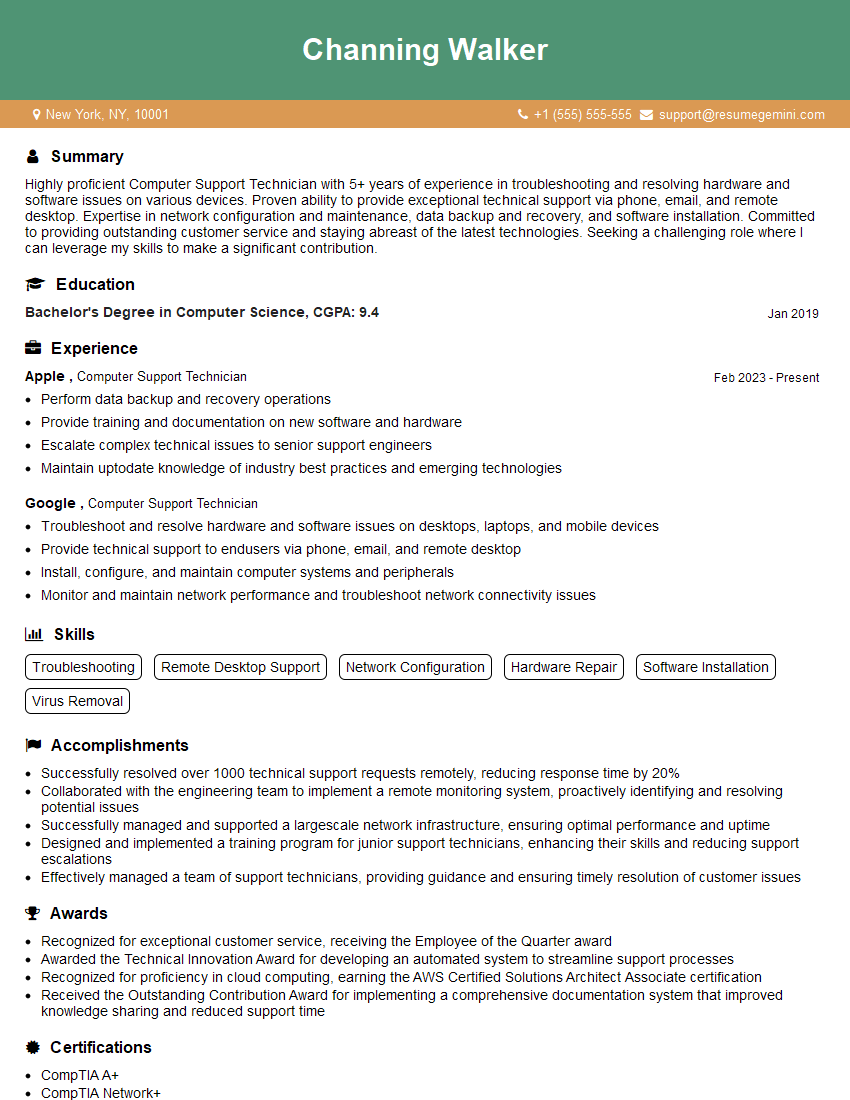
Are you gearing up for an interview for a Computer Support Technician position? Whether you’re a seasoned professional or just stepping into the role, understanding what’s expected can make all the difference. In this blog, we dive deep into the essential interview questions for Computer Support Technician and break down the key responsibilities of the role. By exploring these insights, you’ll gain a clearer picture of what employers are looking for and how you can stand out. Read on to equip yourself with the knowledge and confidence needed to ace your next interview and land your dream job!
Acing the interview is crucial, but landing one requires a compelling resume that gets you noticed. Crafting a professional document that highlights your skills and experience is the first step toward interview success. ResumeGemini can help you build a standout resume that gets you called in for that dream job.






Essential Interview Questions For Computer Support Technician
1. Tell me about your experience in troubleshooting and resolving hardware and software issues?
- Explain the various hardware and software troubleshooting techniques you have used.
- Describe a specific scenario where you successfully resolved a complex issue.
2. Can you provide an example of a time when you successfully implemented a technical solution to meet a business need?
Technical Solution
- Describe the technical solution you implemented.
- Explain how it addressed the specific business need.
Results
- Highlight the positive outcomes and impact of the solution.
- Quantify the results if possible.
3. What is your approach to staying up-to-date with the latest technological advancements?
- List the specific technologies or areas you actively follow.
- Explain how you stay informed through online courses, conferences, or other means.
4. Can you explain the concept of RAID and its different levels?
- Define RAID and explain its purpose.
- Describe the different RAID levels (e.g., RAID 0, 1, 5).
- Discuss the advantages and disadvantages of each level.
5. How would you go about diagnosing and fixing a slow computer?
- List the steps you would take to identify the root cause.
- Explain the tools and techniques you would use.
- Discuss potential solutions and troubleshooting strategies.
6. Describe your experience with cloud computing platforms, such as AWS or Azure.
- Explain the different services and features of the platforms you are familiar with.
- Provide examples of projects or scenarios where you used these platforms.
7. How do you ensure data security and privacy when working with sensitive information?
- Explain the security protocols and practices you follow.
- Discuss the importance of data encryption, access controls, and regular security audits.
8. Can you describe the difference between OSI and TCP/IP models?
- Explain the key differences in terms of layers, protocols, and purposes.
- Discuss their applicability in real-world networking scenarios.
9. What is the role of virtualization technology in modern IT infrastructures?
- Define virtualization and explain its advantages.
- Describe the different types of virtualization (e.g., server virtualization, desktop virtualization).
- Discuss the use cases and benefits of implementing virtualization solutions.
10. How do you handle multiple support tickets simultaneously and prioritize them effectively?
- Explain your approach to managing a high volume of support requests.
- Describe the tools or techniques you use for task tracking and prioritization.
- Discuss the importance of effective communication with end users.
Interviewers often ask about specific skills and experiences. With ResumeGemini‘s customizable templates, you can tailor your resume to showcase the skills most relevant to the position, making a powerful first impression. Also check out Resume Template specially tailored for Computer Support Technician.
Career Expert Tips:
- Ace those interviews! Prepare effectively by reviewing the Top 50 Most Common Interview Questions on ResumeGemini.
- Navigate your job search with confidence! Explore a wide range of Career Tips on ResumeGemini. Learn about common challenges and recommendations to overcome them.
- Craft the perfect resume! Master the Art of Resume Writing with ResumeGemini’s guide. Showcase your unique qualifications and achievements effectively.
- Great Savings With New Year Deals and Discounts! In 2025, boost your job search and build your dream resume with ResumeGemini’s ATS optimized templates.
Researching the company and tailoring your answers is essential. Once you have a clear understanding of the Computer Support Technician‘s requirements, you can use ResumeGemini to adjust your resume to perfectly match the job description.
Key Job Responsibilities
Computer Support Technicians are responsible for providing technical support to end-users, resolving computer hardware and software issues, installing and maintaining computer systems, and ensuring the smooth functioning of IT infrastructure. Their key job responsibilities include:
1. Troubleshooting and resolving technical issues
Identifying and diagnosing computer hardware and software problems, and implementing effective solutions to restore functionality.
- Conducting diagnostic tests to identify root causes of issues
- Repairing or replacing faulty hardware components
- Resolving software conflicts and installing updates
2. Installing and maintaining computer systems
Setting up new computer systems, installing operating systems, and configuring hardware and software to meet user requirements.
- Building and assembling computer systems
- Installing and configuring operating systems and applications
- Managing user accounts and permissions
3. Providing technical support to end-users
Assisting end-users with technical issues, providing guidance and training on computer usage and troubleshooting.
- Responding to user inquiries via phone, email, or chat
- Providing remote support and onsite assistance
- Documenting support interactions and resolutions
4. Managing IT infrastructure and security
Monitoring and maintaining IT infrastructure, including servers, networks, and security systems, to ensure optimal performance and security.
- Monitoring system performance and identifying potential issues
- Installing and updating security software and patches
- Implementing and enforcing security policies
Interview Tips
To ace the interview for a Computer Support Technician role, it’s essential to prepare thoroughly and showcase your technical skills and problem-solving abilities. Here are some interview tips and hacks:
1. Research the company and industry
Demonstrate your enthusiasm for the role and the company by researching their industry, products, and services. This will help you understand their business needs and tailor your answers accordingly.
- Visit the company’s website and LinkedIn page
- Read recent news articles and industry publications
- Identify the company’s competitors and their market position
2. Prepare for technical questions
Expect to encounter technical questions during the interview. Brush up on your knowledge of computer hardware, software, and troubleshooting techniques. Practice solving common technical problems and be prepared to explain your solutions clearly.
- Review basic computer concepts and terminology
- Practice troubleshooting scenarios and come up with logical solutions
- Familiarize yourself with common operating systems and software applications
3. Highlight your problem-solving abilities
Employers value Computer Support Technicians who can effectively diagnose and resolve technical issues. Showcase your problem-solving skills by providing examples from your previous work experience or personal projects.
- Use the STAR method (Situation, Task, Action, Result) to describe your problem-solving experiences
- Quantify your accomplishments whenever possible
- Emphasize your ability to remain calm under pressure and think critically
4. Practice your communication skills
Effective communication is crucial for Computer Support Technicians. Practice your ability to explain technical concepts clearly and concisely to non-technical users. Prepare examples of how you have successfully communicated complex technical information to end-users.
- Role-play common customer support scenarios with a friend or family member
- Use active listening techniques to demonstrate your understanding of the interviewer’s questions
- Speak confidently and articulate your answers clearly
Next Step:
Armed with this knowledge, you’re now well-equipped to tackle the Computer Support Technician interview with confidence. Remember, preparation is key. So, start crafting your resume, highlighting your relevant skills and experiences. Don’t be afraid to tailor your application to each specific job posting. With the right approach and a bit of practice, you’ll be well on your way to landing your dream job. Build your resume now from scratch or optimize your existing resume with ResumeGemini. Wish you luck in your career journey!